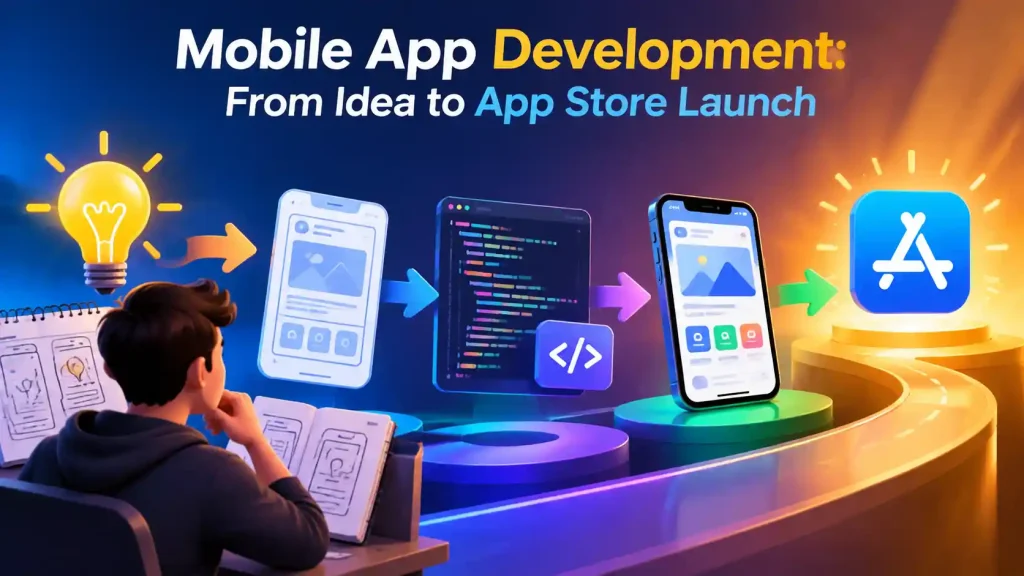
Turning an app idea into something live on the App Store and Google Play involves a lot more than writing code. Planning, platform selection, design, development, testing, and navigating the app store submission process all shape whether the final product actually succeeds.
This guide walks through the entire journey from a raw idea to a published app, including planning, choosing between Android and iOS, deciding on native or cross-platform development, the full build process, realistic costs and timelines, testing, and what happens after launch.
How Do You Turn an App Idea Into a Real Product?
Define the Problem Your App Will Solve
Every app that succeeds solves a specific, real problem for a specific group of people. Before anything else, get clear on exactly what frustration or gap your app addresses. Vague ideas lead to unfocused products.
Identify Your Target Users
Who exactly will use this app, and what do they currently do instead? Understanding your actual users, their habits, devices, and expectations, shapes almost every decision that follows.
Define the Core Features
List the features that directly serve the problem you’re solving. At this stage, it’s normal for the list to be longer than what you’ll actually build first. That’s what the next step narrows down.
Decide What Your MVP Should Include
Your MVP (Minimum Viable Product) should include only the features required to solve the core problem for your first users. Everything else becomes a later phase, based on real feedback rather than assumptions.
What Should You Plan Before Developing Your App?
Define the App Requirements
A clear requirements document covering what the app does, who it’s for, and what success looks like becomes the reference point for every decision the development team makes.
Map the User Flow
Sketching out how a user moves through the app screen by screen, from first open to completing their main goal, surfaces gaps and confusing steps before any design work begins.
Determine Backend and API Requirements
Most apps need a backend to handle user accounts, data storage, and business logic. Deciding this early affects both cost and timeline, since backend work often runs in parallel with the app itself.
Consider Security and Data Requirements
If your app handles personal data, payments, or sensitive information, security and compliance requirements need to be planned for from the start, not added as an afterthought before launch.
Should You Build an Android or iOS App?
Android App Development
Android has the larger global user base and a more open ecosystem, with more flexibility around app distribution. It’s typically the priority platform for businesses targeting price-sensitive or emerging markets, including much of Pakistan’s own mobile user base.
iOS App Development
iOS users are typically associated with higher spending power and stronger engagement with paid apps and in-app purchases, making it a priority for certain business models, particularly premium products, subscription apps, and markets like the US, UK, and parts of the Middle East.
Should You Build for Both Platforms?
The right answer depends on a combination of factors specific to your business:
• Target audience: where your actual users are, and which platform they predominantly use
• Budget: cross-platform frameworks make building for both platforms far more affordable than separate native builds
• Business goals: a B2B tool for one client’s team may only need one platform, while a consumer app usually needs both
• Launch strategy: some businesses deliberately launch on one platform first to validate demand before expanding
Which App Development Approach Should You Choose?
Native App Development
Native development involves building separate codebases for iOS (Swift) and Android (Kotlin/Java). It offers the best possible performance and full access to platform-specific features, at the cost of maintaining two separate projects.
Cross-Platform App Development
Cross-platform development involves building one codebase that runs on both iOS and Android using frameworks like Flutter or React Native. This significantly reduces development time and cost while still delivering strong performance for the vast majority of business apps.
How to Choose the Right Approach?
Weigh these factors against your specific project:
• Performance: does your app need graphics-intensive or hardware-heavy performance, or is standard app performance sufficient?
• Features: do you need deep access to device-specific features that cross-platform frameworks handle less naturally?
• Budget: cross-platform is typically more cost-effective for covering both platforms
• Development requirements: does your team or partner have stronger expertise in one approach?
• Long-term needs: how do you expect the app to grow, and does that favor one approach’s flexibility?
For a detailed comparison between the two leading cross-platform frameworks, see Flutter vs React Native: Which Framework to Choose?.
How Do You Choose a Mobile Application Development Company?
Review Their Portfolio
Ask for published apps you can actually download and use, not just design mockups or screenshots.
Check Relevant Technical Experience
Native and cross-platform development require different skill sets. Confirm the team has real, demonstrable experience with your chosen approach.
Understand Their Development Process
A serious team can clearly describe its process, including discovery, design, sprints, testing, and deployment. Vague answers here usually mean an unstructured delivery.
Ask About Testing and Security
Confirm what testing the app goes through before launch and how sensitive data and security requirements are handled.
Confirm Code and App Ownership
Your business should own the code and the developer accounts your app is published under. Get this in writing before development starts.
Check Post-Launch Support
Ask specifically what happens after launch, including bug fixes, OS compatibility updates, and response times for critical issues. For the complete evaluation framework covering any development engagement, read Software House in Karachi: How to Choose the Right Partner.
What Is the App Development Process?
UI/UX Design
UI/UX design involves creating wireframes and interactive prototypes, typically in Figma, to map every screen and flow so the experience is validated before any code is written.
Frontend App Development
Frontend development involves building the actual screens and interactions the user sees and taps, based on the approved design.
Backend and API Development
Backend and API development involves building the server-side logic, database, and APIs that power user accounts, data storage, and business logic. This often runs in parallel with frontend work.
Integrations
Integrations connect third-party services, including payment gateways, maps, push notifications, and social logins, that the app depends on.
Testing and Quality Assurance
Systematic testing across devices and scenarios is carried out before the app is considered ready for submission.
Final Release Preparation
This involves preparing build files, store assets, and final checks before submitting to the App Store and Google Play.
How Much Does Mobile App Development Cost?
What Affects App Development Cost?
Pricing depends on a combination of factors rather than any single one:
• App complexity
• Number and depth of features
• Number of platforms (single vs both)
• UI/UX design complexity
• Backend requirements
• APIs and third-party integrations
• Security and compliance requirements
Simple, Medium and Complex App Costs
| App Type | Cost (PKR) | Timeline |
|---|---|---|
| Simple App (single platform, basic features) | 400,000 – 1,200,000 | 8 – 14 weeks |
| Medium Complexity (cross-platform, custom backend) | 800,000 – 3,000,000 | 12 – 20 weeks |
| Complex App (real-time features, deep integrations) | 2,000,000 – 6,000,000+ | 16 – 28 weeks |
For a more detailed breakdown specific to the Pakistan market, see How Much Does Mobile App Development Cost in Pakistan?.
Have an app idea and want a realistic scope and estimate? Our mobile app development services team can walk you through platform choice, features, and cost.
How Long Does It Take to Develop a Mobile App?
Planning and Design
Typically 2-4 weeks, covering requirements, user flow, and UI/UX design and approval.
Development
The largest portion of the timeline, usually 6-16 weeks depending on complexity, platform count, and feature depth.
Testing and Finalization
Typically 1-3 weeks of dedicated testing and bug fixing before the app is considered submission-ready.
Store Submission
Apple’s review typically takes 1-3 days. Google Play review is often completed within a day, though first submissions sometimes require a resubmission cycle.
How Do You Test a Mobile App Before Launch?
Functional Testing
Confirming every feature works as intended across the full range of user actions.
Device and Compatibility Testing
Testing across different screen sizes, OS versions, and device models to catch inconsistencies.
Performance Testing
Checking load times, responsiveness, and behavior under real-world conditions like poor connectivity.
Security Testing
Verifying that user data, authentication, and any sensitive information are properly protected.
Usability Testing
Real users trying the app can help surface confusing flows or friction points before a wider audience sees them.
Final Bug Fixes and Testing
A final round addressing everything surfaced in earlier testing phases before the app is submitted.
How Do You Launch an App on the App Store and Google Play?
Prepare the App for Submission
Finalizing build files, app icons, and required metadata according to each store’s technical requirements.
Create Store Listings
Writing descriptions, preparing screenshots, and setting up the store page that potential users will see.
Submit the App for Review
Submitting through the Apple Developer account and Google Play Console for each store’s review process.
Handle Review Feedback
Addressing any issues flagged during review, which is a common part of the process, particularly for first submissions.
Publish the App
Once approved, the app goes live and becomes publicly available for download.
What Happens After Your App Launches?
Monitor App Performance
Tracking crashes, load times, and usage patterns to catch problems early.
Fix Bugs and Compatibility Issues
Addressing issues that surface in real-world usage, including new OS version compatibility.
Release Updates
Rolling out new features and improvements based on usage data and user feedback.
Analyze User Feedback
Reviews, support requests, and usage analytics all inform what to prioritize in future updates.
Frequently Asked Questions
How much does it cost to maintain a mobile app?
Ongoing maintenance, including OS compatibility updates, bug fixes, and hosting, typically costs 15-20% of the original development cost annually, plus hosting fees that scale with your user base.
Does a mobile app need a backend or admin panel?
Most apps beyond very simple utilities need a backend to handle user accounts and data, and many businesses also need an admin panel to manage content, users, or orders without developer involvement.
Who owns the app code after development?
This should be defined in your contract before development starts. A properly structured agreement gives your business full ownership of the code, designs, and any accounts created during the project.
How much do Apple App Store and Google Play accounts cost?
An Apple Developer account costs $99 per year, while a Google Play Developer account is a one-time $25 fee. Both should be registered under your business, not your development agency.
Can I update my app after it is published?
Yes. Apps are regularly updated with bug fixes, new features, and OS compatibility changes, each going through the same store review process before going live.
What happens if my app is rejected by the App Store or Google Play?
Rejections are common, especially on first submission, and are usually tied to specific guideline issues. The development team addresses the flagged issues and resubmits. An experienced team can often prevent common rejection reasons in the first place.
Can one mobile app work on both Android and iOS?
Yes. This is exactly what cross-platform frameworks like Flutter and React Native are built for, allowing one codebase to run on both platforms rather than maintaining two separate native apps.
Build Your App From Idea to Launch
JZARR Tech handles the full journey, including planning, platform selection, design, development, testing, and app store submission, using Flutter, React Native, or native iOS/Android depending on what your project actually needs.
Book your free consultation today and get a clear platform recommendation, timeline, and cost estimate for your app.