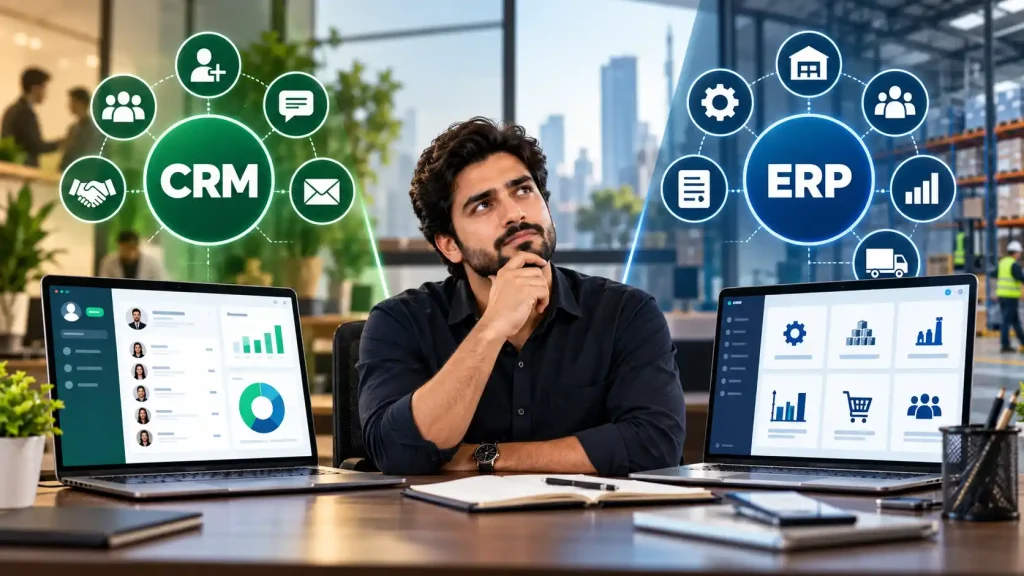
If you’ve started researching business software, you’ve almost certainly run into these two acronyms CRM and ERP. They get used interchangeably by people who don’t build software, which causes a lot of confusion for business owners trying to figure out what they actually need.
The short answer: they solve different problems. A CRM manages your relationships with customers. An ERP manages your internal business operations. Some businesses need one, some need both, and some need neither yet.
This guide breaks down the CRM vs ERP difference in plain terms so you can figure out exactly which system (or systems) your business actually needs in 2026.
This article is part of our complete guide to Custom Software Development: Complete Guide for Business Owners – read it for the full picture on custom software types, cost, and process.
What is CRM and ERP
CRM and ERP serve different business functions. Below, we explain both systems and their key differences.
CRM
CRM stands for Customer Relationship Management. It is software designed to manage everything related to your interactions with leads and customers – contact information, communication history, sales pipeline stages, follow-up reminders, and deal tracking.
A CRM answers questions like:
- Who are our leads, and where are they in the sales process?
- When did we last contact this customer, and what did we discuss?
- Which deals are closing this month, and which are stalling?
- What is our sales team’s conversion rate from lead to sale?
CRMs are built for sales, marketing, and customer service teams. If your business depends on managing a pipeline of leads and long-term customer relationships real estate, agencies, B2B sales, consulting a CRM is often the first system worth investing in.
ERP
ERP stands for Enterprise Resource Planning. It is software that integrates and manages your core internal business operations, including inventory, finance, procurement, manufacturing, HR, and supply chain – all in one connected system.
An ERP answers questions like:
- How much inventory do we have across all our warehouses right now?
- What is our real-time profit and loss across all departments?
- Are we running low on raw materials for next month’s production?
- What is the status of purchase orders from our suppliers?
ERPs are built for operations, finance, and supply chain teams. If your business manages inventory, multiple locations, manufacturing, or complex financial operations – retail chains, manufacturers, distributors – an ERP becomes essential as you scale.
CRM vs ERP: Side-by-Side Comparison
| Factor | CRM | ERP |
| Primary Focus | Customer relationships & sales | Internal operations & resources |
| Used By | Sales, marketing, customer service | Finance, operations, inventory, HR |
| Core Data | Leads, contacts, deals, communication | Inventory, finances, orders, supply chain |
| Solves | “Are we converting leads efficiently?” | “Are our operations running efficiently?” |
| Typical Users | Small teams to large sales orgs | Retailers, manufacturers, multi-location businesses |
| Complexity to Build | Low – Medium | Medium – High |
| Typical Cost (Custom) | PKR 800,000 – 2,500,000 | PKR 1,500,000 – 5,000,000+ |
For a full cost breakdown across all custom software types, see How Much Does Custom Software Development Cost?.
When Does Your Business Need a CRM?
A CRM is the right investment when:
- You have a sales team (even a small one) managing multiple leads at once
- Leads are falling through the cracks no follow-up, missed deals, forgotten conversations
- You need visibility into your sales pipeline and forecasting
- Customer relationships are long-term and require ongoing communication
- You are currently tracking leads in spreadsheets, WhatsApp, or your inbox
When Does Your Business Need an ERP?
An ERP is the right investment when:
- You manage physical inventory across one or more locations
- Your finance, procurement, and inventory teams work in disconnected spreadsheets or tools
- You are scaling operations and losing visibility into stock, costs, or supply chain
- You need real-time financial reporting across departments
- Manual reconciliation between systems is costing you time and causing errors
Need any of these built for your business? Explore our custom software development services.
When Your Business Needs Both CRM and ERP
Many growing businesses eventually need both and the good news is they can be integrated to share data. A common setup: your CRM manages the sales process, and once a deal closes, the customer and order data flows automatically into your ERP for fulfillment, invoicing, and inventory management.
This integration eliminates double data entry and gives you a single source of truth from lead to delivery. It’s one of the most requested features when businesses invest in custom software – connecting previously separate systems into one workflow.
Off-the-Shelf CRM/ERP vs Custom-Built
You have two paths: subscribe to an existing platform (Salesforce, HubSpot, Zoho, Odoo, SAP) or build a custom system tailored to your exact workflow.
| Factor | Off-the-Shelf | Custom-Built |
| Upfront Cost | Lower (subscription-based) | Higher (one-time development) |
| Long-Term Cost | Recurring, scales with users | One-time + optional maintenance |
| Fit to Your Process | You adapt to the software | Software adapts to you |
| Ownership | Vendor owns the platform | You own the code |
| Customization | Limited to vendor’s features | Unlimited — build anything |
| Data Control | Hosted by vendor | Full control over where data lives |
For the broader decision framework, read Custom Software vs Off-the-Shelf: Which Is Right for Your Business?.
Choosing the Right Development Partner
Whether you decide on a CRM, an ERP, or both, the partner you choose to build it matters as much as the decision itself. Look for a team with a live portfolio, in-house engineers, a clear agile process, and post-launch support. Our guide to choosing a software house covers exactly what to check before signing a contract.
Ready to scope your CRM or ERP project? Our software development team will walk you through the right fit and give you a clear cost estimate.
Frequently Asked Questions
What is the main difference between CRM and ERP?
A CRM manages your relationships with customers, leads, sales pipeline, and communication history. An ERP manages your internal business operations, including inventory, finance, procurement, and supply chain. CRM is customer-facing; ERP is operations-facing.
Can a small business use both CRM and ERP?
Yes. Many small businesses start with a CRM to manage sales, then add an ERP as inventory and operations grow more complex. The two systems can be integrated so data flows automatically between sales and fulfillment.
Which is more expensive, CRM or ERP?
ERPs are typically more expensive to build than CRMs because they integrate more business functions, including finance, inventory, HR, and procurement into one system. A custom CRM in Pakistan typically costs PKR 800,000–2,500,000, while a custom ERP ranges from PKR 1,500,000–5,000,000 or more depending on complexity.
Do I need a CRM or ERP if I’m a small startup?
Most early-stage startups need a CRM first if they have any sales process, since managing leads in spreadsheets quickly becomes unmanageable. An ERP typically becomes necessary later, once the business manages physical inventory, multiple locations, or complex financial operations.
Should I buy an off-the-shelf CRM/ERP or build custom?
Off-the-shelf platforms (Salesforce, Zoho, Odoo) work well for standard workflows and lower upfront cost. Custom-built systems make sense when your processes are unique, you need deep integrations with other tools, or you want full ownership and control over your data and features.
Build the Right System with JZARR Tech
Whether your business needs a CRM to manage sales, an ERP to run operations, or a custom system that combines both, JZARR Tech designs and builds it around your actual workflow not a generic template. 100% in-house engineering, modern technology stack, and full ownership of your code.
Book your free consultation today and get a clear recommendation on which system fits your business, along with a detailed cost and timeline estimate.